Showing posts with label Recovery and Backup. Show all posts
DATARECOVERY


A Facebook password recovery tool

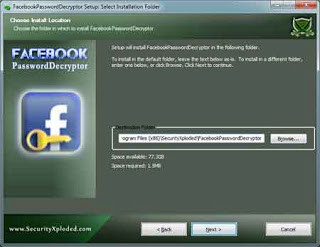
FacebookPasswordDecryptor is a compact application that can help you recover the Facebook account passwords stored by popular web browsers and messengers.

Most of the applications store the Login passwords to prevent hassale of entering the password everytime by the user.

FacebookPasswordDecryptor supports recovering of the stored Facebook account password from most of the popular Internet browsers and messengers.

Here is the complete list of supported applications:
- Internet Explorer
- Firefox
- Google Chrome
- Opera Browser
- Paltalk Messenger
- Miranda Messenger
- Chrome Canary/SXS
- CoolNovo Browser
- Apple Safari
- Flock Browser
- Comodo Dragon Browser
- SeaMonkey Browser

Here are some key features of "Facebook Password Decryptor":

· Instantly decrypt and recover stored encrypted Facebook account password from Popular Web browsers and Messengers.
· Comes with both GUI & Cmdline Interface
· Automatically discovers the supported applications from their respective install location and recovers the password instantly.
· Sort feature to arrange the displayed password list by username and password which makes it easy to search through 100's of entries.
· Save the recovered Facebook password list to HTML/XML/TEXT file for transferring to other system or for future use.
· Integrated Installer for helping you in local Installation & Uninstallation.

What's New in This Release:

· Mega version supporting Facebook Password Recovery from Internet Explorer v10 and latest Firefox v22.0
Users are advised to pay attention while installing this ad-supported application:

· Offers to change the homepage for web browsers installed in the system
· Offers to change the default search engine for web browsers installed in the system
· Offers to download or install software or components (such as browser toolbars) that the program does not require to fully function


Program Information
 Developer: SecurityXploded Inc
Price and Added Date
Freeware .19-08-2015
Download Links
.
DATARECOVERY


Memory card, pendrive photo recovery software


StrongRecovery is a small and easy-to-use application capable of recovering deleted photos, files or data.

Recover deleted data from memory card, pendrive or hard disk drive. StrongRecovery supports FAT12, FAT16, FAT32 and NTFS file system. StrongRecovery supports recovery of NTFS Encrypted Files (EFS) and NTFS compressed files. Is also possible to search data of deleted files.

You can also try the portable version of the application.

Requirements:

· 32 MB RAM
· 10 MB free disk space


Limitations:

· Recovery is disabled

What's New in This Release: 
  • Changes in memory blocks management


Program Information
 Developer: StrongRecovery Software
Price and Added Date
Demo / 12 $ .22-07-2015
Download Links
.
DATARECOVERY


Recover files deleted for various reasons or data stored on damaged partitions, with this intuitive and easy-to-use software solution
There are various reasons why you could end up losing important data stored on the computer or a removable device. Fortunately, there are applications such as iCare Data Recovery that can recover lost data due to virus infections, accidental partition formatting or human mistakes.

Recover various types of files

The cost-free edition of iCare Data Recovery can only rescue documents (DOC, DOCX, XLS, XLSX, PPT, PPTX, HMTL, HTM, PDF), multimedia files (common audio and video formats, such as WAV, MP3, MID, OGG, AVI, 3GP, MP4, SWF, MOV and so on), e-mail files generated by Outlook (PST) and Outlook Express (DBX), as well as database files (MDB, ADP). Unfortunately, it cannot retrieve photos, which can only be done by upgrading to the Standard, Professional orEnterprise editions.

Works with internal and external storage devices

The application can work with local hard drives, memory cards, USB flash drives and other external storage devices and supports NTFS and FAT (FAT32, FAT16, FAT12, EXFAT) file systems.
The intuitive interface acts like a wizard, guiding you through the three necessary steps so as to retrieve your files. Thus, recovering the data becomes just a matter of a few clicks.
First, you must choose the type of file to search for, while the second step requires you to select the target partition. Then, you must wait for the application to complete the scanning process. Depending on the size of the target storage medium and the file type you selected, the analysis can take less or more time. Recovered files are organized in tree-view, for easier navigation.

An easy to use file recovery tool

iCare Data Recovery can restore files you lost due to various causes from all kinds of storage devices. The simple approach it adopts makes it suitable for any type of user and the wizard-like GUI speeds up the process even more.


Program Information
 Developer: iCare Recovery Software Ltd.
Price and Added Date
Freeware .06-07-2015
Download Links
.
DATARECOVERY


A powerful software solution for system consistency


Deep Freeze will help you instantly protect and preserve baseline computer configurations. No matter what changes a user makes to a workstation, simply restart to eradicate all changes and reset the computer to its original state - right down to the last byte.

Expensive computer assets are kept running at 100% capacity and technical support time is reduced or eliminated completely. The result is consistent trouble-free computing on a truly protected and parallel network, completely free of harmful viruses and unwanted programs.

While Deep Freeze provides bulletproof protection, its non-restrictive approach also improves user productivity and satisfaction.

Placing no restrictions on a user's ability to access all system resources, users avoid the frustration of downtime due to software conflicts, operating system corruption, virus attacks, and many other problems. Users are always assured of computers that are consistently operable and available.

Deep Freeze Standard is changing the way IT Professionals protect small multi-user environments.

Simple, robust, and cost effective, Deep Freeze Standard is ideal for computing environments with 10 or less workstations or for environments that don't require central management or control.

Here are some key features of "Deep Freeze Standard":

· Absolute Protection
· Guarantees 100% workstation recovery on restart
· Provides password protection and complete security
· Protects multiple hard drives and partitions
· Integration and Compatibility
· Supports multiple hard drives and partitions
· Supports multi-boot environments
· Compatible with Fast User Switching
· Supports SCSI, ATA, SATA, and IDE hard drives
· Supports FAT, FAT32, NTFS, basic and dynamic disks
· Localized in five languages: English, French, German, Spanish and Japanese
· Deployment Options
· Offers silent install option for rapid network deployment
· Provides option to deploy on multiple workstations as part of a master image
· DFC included in Workstation/Seed installations

Limitations:

· 30 days trial
What's New in This Release:

· Improved security and compatibility with Novell.


Program Information
 Developer: Faronics Corporation
Price and Added Date
Trial / USD 45.00. 14-06-2015
Download Links
.
DATARECOVERY


Easily recover the files you accidentally erased


Wise Data Recovery will help you restore the files you have accidentally deleted or which got lost due to computer crash.

This software can restore a wide range of file formats, including office documents, images, videos, songs or even email files.

Here are some key features of "Wise Data Recovery":

· Can retrieve documents such as word, excel, txt etc.
· Restore image formats, such as .jpg, .png, .gif etc.
· Retrieve email file, such as .eml
· Can recover other data such as audio, video, archive
· Recover files from removable drives, like iPods, MP3 players etc.
· Vew the status of the data to be recovered


What's New in This Release:


· Fixed Share links of Facebook and Twitter.
· Updated translations.
· Minor bug fixes.


Program Information
 Developer: WiseCleaner
Price and Added Date
Freeware / $0 .10-06-2015
Download Links
.
DATARECOVERY


A simple and efficient software solution that enables you to easily transfer your applications from one PC to another, in just a few moves
PickMeApp is a portable application whose main function is to capture one or more currently installed programs from your computer, along with each individual setting, and save it in order to be used on another PC. 

This tool is especially useful if you want to create backups for all your applications, so in case your computer fails, you will not lose every setup preference. 

If your computer crashes, making it impossible to recover anything from it, PickMeApp enables you to quickly restore all your programs with their respective configurations, allowing you to get back to work as soon as possible.

PickMeApp can also be of use if you intend to purchase a new PC, but you do not want to lose all your current applications' settings or go through the trouble of looking for them again and reinstalling them. 

Another situation where this tool can prove effective is when you are required to work on multiple PCs and want the programs to all have the same configurations, so you do not have to remember different hotkeys, functions or file locations for each computer.

Additionally, PickMeApp provides you with a 'Save as EXE' function that enables you to repackage one or more software utilities as a single installation item, allowing you to restore several captured programs at once, and without even needing PickMeApp to do it.

The interface of PickMeApp features two windows, one containing the programs that can be found on your PC and the other containing the applications you captured. Thanks to its portable status, you can delete PickMeApp's containing folder and it leaves no trace of ever being there.

PickMeApp can prove quite a useful portable tool, that can help you replicate every piece of software you work with, along with its settings, then re-install them on a second computer in just moments.


Program Information
 Developer: PickMeApp.com
Price and Added Date
Freeware .11-01-2015
Download Links
.
DATARECOVERY


OtraUnit Data Recovery is a simple to use and powerful application, capable of detecting lost or deleted files that originated on your system, then recover them. The software can perform thorough system scans and identify data lost by accidental deletion, due to formatting, re-partition, system crash or virus attack.

Powerful system or drive scanner

OtraUnit Data Recovery offers several types of system scan, according to which partition your files originated on. Thus, you can easily select the drive you wish to analyze or let the software perform a full scan, including system folders and hidden items. The process is quick, accurate and returns all the results, without leaving out partial recovered files.

Thus, the Fast Scan function allows you to select the drive you wish to analyze, then proceeds to searching through configuration files, Windows folder, programs and user preferences. The lost files are generally indicated in the designated folder, but other directories may also contain traces of the documents you are searching for. The Full Scan allows you to analyze the entire system or the specified range, while the Volume Deep Scan specializes on detecting certain file types on the selected drive.

Apply useful filters

Each type of scan supports filtering the results, one way or another. For instance, in Fast scan and Full scan, you can apply the filter directly to the results, while in Volume Deep Scan and Disk Deep Scan, the filters are required before the process starts. Moreover, in Fast and Full scan modes you can sort the results by the date created/modified/deleted, by size and by extension.

The other two types of system scanning require only file type filtering, however, the list of supported extension is much larger. Moreover, the software supports performing partition recovery and creating disk backups, by copying the entire amount of data from a particular drive.

Easily restore files to a specified location

OtraUnit Data Recovery is a reliable and effective software that allows you to recover a large amount of lost files. It supports a multitude of file formats, a wide variety of file sizes and it can easily send them to the specified location. You can save the recovered files to a different disk, different hard drive, even on a flash memory drive, as long as it is recognized as a logical Windows drive.


Program Information
 Developer: OtraUnit Ltd
Price and Added Date
Demo €50.14 .01-11-2014
Download Links
.
DATARECOVERY


A simple to use application that enables you to recover lost or damaged files and data from the selected drive, with the minimum of effort
LogicSight Data Recovery is a reliable software, designed to scan your computer and offer you the possibility to recover lost or damaged files. The software can perform a thorough search in order to recover lost files or partitions. It is easy to use and can perform the tasks in a rather short time.

File and partition recovery

In case you wish to repair your system from a virus infection, update, change or de-fragment it, certain data can be lost, especially the settings and other applications. LogicSight Data Recovery can help you identify the files that were damaged or accidentally removed during the system reconfiguration.

The software can scan and identify data on a series of storage spaces, such as local drives, external disks, USB memory devices, SD cards or other storage media. LogicSight Data Recovery can support several filesystems, such as FAT12,16 or 32, NTFS and NTFS5. Moreover, the software allows you to set several filters in order to limit the search to the objects that interest you.

File filtering, scanning and recovery

Before the software can perform the scan it prompts you to select one of the supported methods: file recovery or partition recovery. Then, you can apply the file type filter: you may search exclusively for documents and spreadsheets, pictures, music/audio, movies/videos, applications/programs or other un-categorized files.

You may select either combination of these filters, in order to limit the search to the type of files you are looking for. The software then commences the search, indicates the evolution on the progress bar and displays the estimated time for the entire process. When the scan is finished, the software displays the results sorted into folders, in a tree structure, which is designed to help you easily identify them.

Search through results and save them

Another file filter can be set when the results are displayed, that can help you identify the file by name or by size or by the date it was created. Once you have identified and selected the files you wish to recover, LogicSight Data Recovery can help you copy the files to a secure location, preferably one that is different than the input drive.


Program Information
 Developer: DDDDDDDDDDD
Price and Added Date
Freeware .21-10-2014
Download Links
.
DATARECOVERY


Copy Damaged Data is an useful and easy to understand piece of software created to help you regain access to files stored on corrupt media, attempting to recover items that cannot otherwise be duplicated by regular methods.

User-friendly and practical looks

The applications uses a wizard style interface, its five different steps gradually guiding you through the entire process, meaning you will not face too much difficulty in handling it.

The clear-cut and intuitive usage of Copy Damaged Data makes it fairly accessible, so even if you are not that experienced in working with such tools, you will still be able use it from the first run.

Swiftly regain access to files stored on compromised memory areas

For starters, you will need to define the source disk which stores your files, choosing the precise folder or document that you wish to retrieve. Subsequently, the utility lets you select the destination directory for the resulting files and adjust the copying preferences.

As such, you can opt between speed, quality or a bit of both, the recommended setting being, however, the slower one, as it features a higher rate of success. You can also input the total number of attempts at recovery, configuring the pause between each try, in milliseconds.

Afterward, your files will be copied to the chosen location, a process which can take more or less time, depending on the amount of damaged areas and bad sectors. If a file’s contents are too corrupt for full retrieval, the application will replace the missing data with blanks, so you can at least, access the readable parts of the file.

A straightforward data restoration tool

To conclude, Copy Damaged Data is a handy and effective program that can successfully assist you in retrieving files from corrupt drives, enabling you to obtain even some partial contents of irrecoverable documents.


Program Information
 Developer: Mini Data Tools
Price and Added Date
$19.95 .17-10-2014
Download Links
.
DATARECOVERY


Securing your priceless data becomes a mandatory task nowadays and protecting them from system crashes or virus attacks is a main reason why you need to backup important documents.

External drives do their work too by allowing you to store your files, but when they get infected with a Trojan or malware, you need to format the drive, ergo loosing all your data.

Whether is about valuable information gathered in months due to complex analysis and searches or just your personal images, data loss carries a huge cost in time.

Performing regular backups on your data should be a habit nowadays. Storing your documents to cloud storages or simply backup them to other partitions you can rest assured that if you even run into a virus attack or system crash, your files are secured.

Comodo BackUp is a straightforward and reliable software solution that boasts advanced features while keeping its interface intuitive and task oriented so even novice users can perform their first backup job.

Because it comes with an embedded utility, namely CCloud, you have the possibility to drag and drop any file or folder you want to easily backup it.

What’s more, the utility provides you with various compression and encryption algorithms so you can keep your data secured. Another feature that makes Comodo BackUp easy-to-use is the integration with Windows Explorer. Simply navigate to the file you want to and send it to your cloud storage.

Its main interface enables you to view the last backup job you performed and if the online storage is still active. You can easily browse for your files and restore the ones you are interested in.

Thus, by using Comodo BackUp you can get quick access to your files through web and mobile by using your account and secure download and upload processes.

All things considered, Comodo BackUp enables you to quickly backup your files in a secure cloud storage providing you with multiple ways to access your documents.


Program Information
 Developer: Comodo Inc
Price and Added Date
$9.99 .09-10-2014
Download Links
.
DATARECOVERY


Backup data and synchronize PCs, servers, and notebooks

Syncovery is a great application used to back up data and to synchronize PCs, servers, and notebooks. Users can choose the user interface that suits them best: Wizard Mode or Advanced Mode.

The settings are stored in multiple profiles, and the software comes with support for FTP and secure FTP servers, SSH, WebDAV, Amazon S3, http, partial file updating, ZIP compression, data encryption, and a scheduler for automated backups. The scheduler can run as a service without users having to log on. On Windows XP or later, locked files can be copied using the Volume Shadow Service.

This program features the ability to freely select files and folders across the whole folder hierarchy in a tree view, and it has support for e-mail notification, profile categories, and various filters. The software also supports Unicode characters in file names, file paths as long as 32767 characters, and much more. It also includes Real Time Synchronization (folder monitoring).


Here are some key features of "Syncovery":

· Synchronizes Files and complete folder structures in different locations, such as a PC and a laptop. 64-bit I/O ensures that files sizes greater than 4GB are supported.
· Save complete sets of option settings as Profiles, with instant access to all saved settings. You can even Run Multiple Profiles with one command.
· Detect Moved Files. If you reorganized your folders by moving files to different locations, the Super Flexible File Synchronizer will detect this and quickly perform the same moves, for example, on your laptop. No extraneous copying!
· With Scheduler. Schedule the synchronization of your data on a backup hard disk at a convenient time each day or as frequently as you wish.
· Smart and Flexible. If some files cannot be copied due to other software accessing these files, the synchronizer will continue copying the remaining files, and then retry all those files that were locked, until all files have been copied successfully. A limit for the time spent on retries can be specified. However, during the retry phase, the synchronizer uses only minimal CPU resources.
· Keep Multiple Backup Versions Of Each File (optional) This feature doesn't overwrite the backup files but renames them, until a selectable number of different backup versions is reached. You can also specify where to put these older backup versions (in the same folder as the original, or in a subfolder thereof, or in just one subfolder for the complete profile).
· Database-Aware. A special technique prevents any data corruption when copying database files, including SQL server database files. The synchronizer will wait with the copying until it has totally exclusive access to the file. During the copying process, the database server will not be able to work with the file. So, a prerequisite for using this software as a backup tool for database files is that they are occasionally not used (for example, at night).
· Can Use Recycle Bin for older versions of files that are overwritten. This is a fairly unique feature because most programs will permanently replace older versions of a file. Using Super Flexible File Synchronizer, you will have a chance of retrieving overwritten files if you select the appropriate options.
· Multiple File Masks (Inclusion and Exclusion) File Masks are transparently (and swiftly!) processed. Even if you specify redundant file masks, there will be no strange side effects.
· Select Base Folder Items. Want to synchronize only some folders? No need for separate runs for each folder. Just specify the base folder containing these folders, and then choose "Only Selected Items From Base Folders...".
· Minimize Load Using Obsolete File Folders. If you occasionally move obsolete files to a specially designated folder, this usually causes trouble with traditional file synchronizers. They will copy the obsolete files back from your laptop right into the folders where you moved them out of. No longer! If you use the Select Base Folder Items option described above, you can place a grayed checkmark next to each folder for obsolete files. These folders are then taken into account for moving files into them, but not for copying files out. Thus, the synchronizer does the same moving of obsolete files on your laptop that you previously did on the PC, but it does not waste any time copying all obsolete files between the two machines.
· No More Trouble With Daylight Savings Time Since exact 1-hour time differences can be ignored if the file size matches, you won't have any more problems if the file systems of two computers are off by one hour. If this is true only for some files, fine! The ignoring of the offset is done in a flexible way rather than adding a fixed number to the hours on one side.
· Easy Resuming On Disk Full. You simply make more space and ask the software to continue copying. It can pause right in the middle of a file until additional space is freed.
· Unattended Mode. In this mode, no questions are asked. You can specify beforehand which kinds of files may be overwritten.
· Optionally Create Exact Mirrors. If desired, you can optionally create an exact mirror of your data, even if this means that some files are deleted or replaced with older files.

Requirements:

· 128MB of RAM

Limitations:

· 30-day trial period
What's New in This Release:

· Tolerates network disconnections during the File List Building Phase.
· Adds workarounds for bugs in some NAS systems.
· Fixes compatibility issue with some SharePoint WebDAV servers (inability to connect).
· Private key certificates can now be used for authentication on both sides of the sync profile (for SFTP etc.).
· Fixes the creation of an incorrect registry key with Chinese characters, and removes it if it exists from previous versions.


Program Information
 Developer: Super Flexible Software
Price and Added Date
Trial / USD 34.90.09-10-2014
Download Links
.
DATARECOVERY


This file recovery software is an effective tool to recover deleted file and folders from damaged NTFS partitions

FineRecovery is a free and powerful utility to restore deleted files from hard disk. Windows does not remove deleted files, they remain and kept in a hidden area on your hard drive and can be easily recovered.

FineRecovery uses a fast engine to quicky scan your PC for deleted files and get the files back to life. This file recovery software is an effective tool to recover deleted file and folders from corrupt, deleted, damaged NTFS partitions.

Using it, you will realize that FineRecovery is really the fastest and easiest way to restore your lost files.

FineRecovery utilities recover files deleted without Recycle Bin, or when Recycle Bin has been emptied, removed by virus attack or power failure and when the partition structure on a hard disk was changed or damaged.

Here are some key features of "FineRecovery":

· Standard "Windows Explorer" - style interface;
· Supported file systems: NTFS, NTFS5
· Data recovery on damaged or deleted partitions, alternative data streams (NTFS, NTFS 5);
· Recognizes localized names
· FineRecovery can be run from a USB storage device.
· Scan all files and directories on selected hard drives.
· Utilizing a non-destructive, read-only file recovery approach. File Recover will not write or make changes to the section of the drive from which it is recovering data.
· Batch file recovery (recovers multiple files in one action).
· Works around bad-sector disk areas. Recovers data where other programs fail.
· Supports standard IDE/ATA/SCSI hard drives, including drives larger than 8 GB.

Requirements:

· At least 16 MB of RAM

Limitations:

· Will only recover files smaller than 100 KB
What's New in This Release:

· HFS/HFS+ file system support
· Virtual Recovery Bin


Program Information
 Developer: FineRecovery Inc
Price and Added Date
Demo / $44.95.08-10-2014
Download Links
.
DATARECOVERY


A file and folder synchronization software for Windows that merges reliability with an easy-to-use interface


GoodSync synchronizes two or more folders with files, that is, GoodSync makes sure that folders and all files in them are the same by copying the new or updated files from the folder where they appeared to the folder where they are old or not present and by propagating deletions.

GoodSync can be used in these everyday scenarios:
· Synchronize notebook computer to desktop computer via local network.
· Keep user files in sync on work and home computer via USB key.
· Incrementally Backup all files from main hard drive to portable hard drive or another computer.


Here are some key features of "GoodSync":

True Bi-Directional Synchronization:
· GoodSync can automatically detect and synchronize creation, deletion, and all other changes, made by the user in folders, subfolders, and files.

One-Way Synchronization Provides an Easy Backup Solution:
· Easy to setup One-Way Synchronization provides an easy and reliable backup solution.

Deletions Are Propagated:
· GoodSync can propagate your file deletions, even through a chain of Syncs.

Chained Synchronization for Multiple Devices:
· Changes performed by GoodSync can be transferred to other computers/devices.
· Example: You can synchronize files between computers A and B which are not connected to each other, by synchronizing Computer A to a USB disk, and then syncing USB disk to computer B.

Lightning Fast Speed, Low Memory Requirement:
· GoodSync is much faster than other synchronization programs and it takes less memory. It can analyze a job with 1M files and folders on each side in less than 10 minutes on only 500 Mb of memory.

Syncs not just Windows folders but also FTP, WebDAV, SFTP, S3:
· GoodSync can sync any two folder located on Windows Local Disk, Windows Network Server (SMB), FTP server, WebDAV server, Secure FTP (SSH) server, Amazon S3 server.

Syncs with your Windows Mobile Phone and Pocket PC:
· GoodSync can sync files on Windows Mobile Phone or Pocket PC device (Windows CE) to desktop.

Selective File Synchronization - exclude and Include Filters:
· Files can be excluded from synchronization based on name pattern, size, modification time.

64-bit version, not just 32-bit:
· GoodSync for Windows comes both in 32-bit and 64-bit versions.

Portable Paths for Removable Drives:
· You can specify folder path that starts with volume name, so that your volume is found no matter what disk letter it uses.

Sync Algorithm:
No File System Monitoring Is Required:
· Changes in files are automatically detected by comparing current file status to the stored file status, so no OS-based file monitoring is required.

Embedded Jobs Handled:
· One folder and its subfolders can participate in more than one sync job, some of these jobs syncing folders above or below this folder. For instance, you can sync folder C:\work\project to USB key, sync folder C:\work to portable hard drive and file state changes registered in one job will be accounted for by the other job.

Case Sensitivity:
· For GoodSync file and folder names are case-sensitive, that is, Folder/File.txt is not the same as folder/file.txt. So you can easily sync with Internet servers that are case-sensitive. And GoodSync makes sure your file names are the same on both sides of the job, including the case of letters.

Time Shifts Are Detected And Fixed:
· When modification time of number of files is different by the same whole number of hours, GoodSync can correct file modification time without copying the file.

FTP File Modification Time Sync:
· GoodSync uses MDTM FTP command (where available) to get/set precise file modification time.

File Mod Time Translation For Non-Preserving File Systems:
· For file systems that do not preserve file modification time when copying, GoodSync implements a novel time translation technique that make mod time appear to be preserved by copy action.

Sync Just File Modification Times for Time Shifts:
· If you think that files are the same and they have different modification time, GoodSync can copy just modification time, without copying the file bodies.

File Manipulation:
Encrypt Backups using EFS:
· You can use Windows Encrypting File System (EFS) to encrypt your backups. In GoodSync you can specify encrypted/decrypted status of sync folder.

Compression in NTFS:
· GoodSync can compress one or both sync folders using NTFS compression.

Copy Locked Files:
· GoodSync can copy locked files using Volume Shadow Copy Service.

Copy Symbolic Links or Drill Down:
· Symbolic links can be copied as links (copy as is) or as files to which they are pointing.

Copy ACL Security Attributes:
· Has an option to copy Access Control List (ACL) security attributes of NTFS.

Speed Limit for File Copy:
· GoodSync can limit bandwidth consumed by a sync job by limiting its file copy speed.

Unix Diff Integrated:
· Can call Unix Diff utility to compare text file line by line.

Online Backups Via Encrypted Channel:
· If you backup to Secure FTP or WebDAV + SSL online file systems then all files transferred are encrypted en route.

User Interface:
Visual Comparison of Folder Trees Made Easy:
· File and folders from both sides are displayed in one combined tree making visual comparison easy.

Slice It and Dice It With Tree Views:
· File to be synced are sorted into different groups (All, Left to Right, Right to Left, New Files, Deleted Files, Excluded, etc) and Tree Views allow to see all these different groups in File Tree.

Job List Pane as Main Control Panel:
· Job List pane shows status of all jobs.

Total Bytes and Counts At All Levels:
· At every level of your folder tree you will see how many files and how many bytes will be copied.

Mini Window for Specialized Applications:
· GoodSync can be pre-programmed by system administrator to perform a specific sync jobs and show only minimal Mini-Window GUI.

Automation:
· Start On Timer or Windows Scheduler
· Start When Files Change
· Start On When Folder Is Connected
· Start When GoodSync Starts or Windows Logs Off
· Auto Mount of Network Shares
· Logs of Actions and Changes Report
· E-Mail Log of Automatic Sync

Reliability and Robustness:
· Automatic Reconnect for Remote Folders
· Portable Paths for Removable Drives
· Auto Backup of Replaced Files
· Free Space Required Predicted
· Fast Pre-Analyze Option

Localization:
· User Interface Localization
· Non-latin characters in file and folder names transfer well to servers


Limitations:

· 30 days trial period
· Allows you to set only 3 Sync Jobs after the trial period
· Allows you to add only 100 Files in a Sync Job after the trial period

What's New in This Release:

· SkyDrive: fix 'Browser Auth failed: no cookies received' on block upload.
· GDocs: improve error to diagnostics to better pinpoint error files.
· GSTP: fix short retry turning into long retry on connection problems.
· DAV server: fix escaping file names.
· Remove Amazon Cloud Drive


Program Information
 Developer: Siber Systems Inc
Price and Added Date
Trial / USD 29.95.16-09-2014
Download Links
.
Powered by Blogger.

Enter your email address:

Delivered by FeedBurner

Popular Posts