Showing posts with label Security. Show all posts
DATARECOVERY


An efficient and reliable software utility designed to function as a complete online security tool against any and all Internet threats

If you do not have enough PC skills to manually protect your computer against online malware threats and unauthorized connections, you need to rely on a dedicated software utility that can do that for you. For example, you can try NETGATE Internet Security.

The application installs without any issues and you can start enjoying its features as soon as you restart your computer, just to make sure all components are correctly registered.

The interface of NETGATE Internet Security is intuitive and user-friendly, so you can manage its functions without worries.

The integrated FortKnox Firewall allows you to monitor all the apps that connect to the Internet and you can block the ones you do not recognize, thus preventing them from getting the chance to download any malware to your PC.

Whenever an app attempts to connect to the Internet, FortKnox Firewall asks for your permission and you can either block or allow it - if you are not sure, you can follow its recommendation. Additionally, you can create rules if you want a certain connection to be blocked within a specific time or date range.

The Spy Emergency component can protect you against spyware, trojans or spam and you can initiate the scan type you prefer - quick, system full or custom. When a suspicious file is detected, the app also displays the threat level that can help you decide which action to take next: ignore or remove.

You can schedule Spy Emergency to scan your PC according to the schedule you set up, while also specify the type of data you want it to analyze (memory, registry, cookies or storage).

All in all, even if you are not the most tech-savvy user out there, you can rely on NETGATE Internet Security to protect your computer against viruses, rootkits, spyware, phishing, spam or other threats. If you are pleased with its performance, you can purchase a license and use it as long as you want.


Program Information
 Developer: NETGATE
Price and Added Date
DEMO.15-01-2016
Download Links
.
DATARECOVERY


Take privacy protecting to the extreme by making deleted files unrecoverable with the help of this streamlined and easy to use tool

Sometimes, deleted files can still be recovered from the computer, despite the fact that they’ve been erased through traditional methods. If you want to permanently get rid of useless files, then a specialized tool is required.

Prevent Restore is an app that was designed to make deleted files and folders unrecoverable by other software. The program is easy to use, thanks to the step-by-step wizard it comes with.

Basically, Prevent Restore runs a number of passes over the free disk space on the hard disk in order to avoid any possible recovery of the files that have already been deleted. Existing files aren’t damaged in the process.

The app lets you choose any of the disks that you want to run anti-recovery operations on. Prevent Restore has two operation modes. The “Standard” mode can be done daily and doesn’t take much time to complete. The process destroys all records about locations of old files, but the files can still be recovered by some advanced software, such as those owned by government agencies.

The “Complete” mode makes the deleted files unrecoverable by any type of programs. While this option provides a thorough job, it’s not recommended for frequent use.

Also, the FAT/NTFS security level may be adjusted. It’s possible to choose one of three options: normal, extended and paranoid. The higher the security level, the more time the process takes. Additionally, the contents of the Recycle Bin can be permanently deleted.

Prevent Restore enables users to choose the deletion method. For instance, it’s possible to replace the files with space, random characters or digits, or make use one of the two available deletion algorithms (Peter Gutmann or DoD US military standard).

All in all, Prevent Restore is an advanced program that can protect sensitive files and free up wasted space on the hard disks. Inexperienced users should find this app easy to use, thanks to the step-by-step wizard.


Program Information
 Developer: PrivacyRoot
Price and Added Date
FREEWARE.15-01-2016
Download Links
.
DATARECOVERY


Keep your privacy intact with the help of this software solution that makes it possible for you to clear your history and many traces of your online activity

Clean Space is a tool that you can use to tidy up your computer and delete your traces by eliminating unnecessary files.

Upon initialization, Clean Space automatically performs a scan job on your computer. Its interface is clean and simple to follow. Clean Space can be easily used by individuals of any experience level.

So, you can set the tool to automatically delete tracks and garbage by following a set of predefined rules or you can enter advanced cleaning mode and make your own changes.

You can check out the program title and disk size, along with the total number of files and registry keys. Clean Space can clear the autocomplete history in the Open/Save box, clear the clipboard and empty the Recycle Bin.

But it can also delete prefetch files, clear the RSS feed case and recent wallpapers list, remove the history of folders that were used to copy or move files via Explorer, clear history records in Winamp and the album artwork cache in VLC Media Player, and more.

During the cleaning process you can check out the current file count, registry records and space, as well as delete method. Plus, you can enable Clean Space to always start in advanced mode and to run a tray agent on Windows startup.

Furthermore, you can select the delete method (e.g. standard, one-pass anti-recovery), terminate currently running processes, input program captions or executable file names to close, lock the screen with a password, and others.

The program takes up a moderate amount of system resources and is very thorough when it comes to scanning and cleaning. We haven't encountered any kind of issues during our tests. Too bad there is no help file available. But, even so, we strongly recommend Clean Space to all users.


Program Information
 Developer: Clean-Space.com
Price and Added Date
TRIAL.15-01-2016
Download Links
.
DATARECOVERY


Completely restrict access to confidential folders and take advantage of a lot more tools offered by this lightweight, yet powerful application

When multiple users work on a single computer it is important to take some security measures in order to keep personal or important file safe. Amongst other specialized applications you can use to accomplish this task, a practical solution is Secure Folder which offers a handful of tools to make security as easy as can get.

Lightweight and easy to use

The application stores all of its features in a pretty compact and simple interface. Your computer won't even feel it is running due to the low amount of resources it requires to provide its services. Even though it's incredibly easy to use overall, you must take your time and get acquainted with its features due to the lack of an integrated help manual.

Lock, hide and encrypt important folders

As the name suggests, the main function is to secure the content of any folder in order to prevent unauthorized access. There are three options that can be applied, locking, hiding and encrypting. Adding a folder is only possible through the dedicated function due to the lack of drag and drop support.

Unfortunately, advanced users might still be able to access locked folders, if not encrypted and hidden, by managing settings offered by the security tab that Windows provides.

Various security tools to work with

The application's name is pretty modest, because under the Tools menu there is an abundance of helpful utilities. Application Blocker, Drive Manager, Screen Capture are only a few of the hidden treasures.

Furthermore, you can even restrict writing privileges for a connected USB storage device, manage startup items in order to add or remove applications, copy, move or delete multiple files at a time, or even have your computer scanned for errors and attempt to fix them.

One of the biggest disadvantages is that only one tool can be active at a time and there is no implemented support for hotkeys so that you can easily launch the desired utility.

To end with

Taking everything into consideration, we can say that Secure Folder is a handy package that contains a large number of useful security tools. Each one comes with info so you easily get accommodated, and even though it's not the best out there, it is still worth at least a try, getting the job properly done.


Program Information
 Developer: Subin Ninan
Price and Added Date
TRIAL.14-01-2016
Download Links
.
DATARECOVERY


Protects your secret data from other people by encrypting files on your computer with the help of this intuitive and easy to use application

BestCrypt is a security program that you can use to provide a safe environment for your sensitive files and folders, by creating a virtual drive. This type of tool helps you the moment you share your computer with multiple users, since it prevents them from accessing your private information.

The interface of the application is represented by a familiar window. Thanks to the Explorer-based layout, you can seamlessly locate the files and folders that you want to protect.

Creating a new container is done by specifying a name, location, allocated size, description, algorithm (e.g. Triple DES, IDEA, GOST, TWOFISH) and mode (cipher-block chaining or tweakable narrow-block), key generator (KG-Ghost, GOST or SHA-256), together with the drive letter to mount.

It is possible to build a group formed from multiple containers, locate all containers on a specific drive, hide or explore drives, customize the toolbar, to manage plugins and to perform an algorithm benchmark test.

Furthermore, you can set up a hotkey that will immediately dismount all virtual drives when triggered, enable timeout and minimize BestCrypt to the system tray area, mount all drives as removable, as well as disable the thumbnail image cache.

BestCrypt requires a pretty low amount of system resources, has a good response time and quickly mounts virtual drives, without causing the operating system to hang, crash or display error notifications. There's also a help file available for users with less or no experience in such apps. All in all, BestCrypt delivers a very good solution when it comes to file and folder protection.


Program Information
 Developer: Jetico, Inc.
Price and Added Date
TRIAL.14-01-2016
Download Links
.
DATARECOVERY


Minimal application that provides users with a simple means of monitoring how their computer is used while they are away, and comes packed with a stealth mode

LightLogger is a monitoring software solution that can record typed keystrokes, visited websites, Clipboard content, loaded programs and take snapshots of computer activity at a given interval.

Well-organized GUI

While lots of similar applications come with many more features, LightLogger adopted a more user-friendly approach, offering an easy to navigate interface with intuitive menus.

Basically, the whole program is split into two different screens, namely “Log Viewer” and “Settings.” While the first one enables you to visualize the whole activity of a certain user on the local computer, including visited websites and executed programs, the “Settings” menu allows you to configure the application and the information it saves.

Customize snapshot parameters and apply a stealth mode

While all the other monitoring options come with absolutely no settings, the only item to be configured is the screenshot utility that can be set up to grab a new picture at a specific interval. In addition to that, the user can choose a certain quality level and thus save space on the hard disk.

LightLogger also provides a so-called “Stealth Mode” that keeps the application completely hidden from prying eyes. Of course, you can configure a hotkey to call the application at any time.

A last evaluation

If we were to vote for an improvement, we would most likely choose a password protection feature to make sure nobody can close the application if it is spotted running on the system. Plus, dedicated features to upload the logged information on a server or send it via e-mail would be great.

Overall, LightLogger is a simple way to keep an eye on computer activity. With a few improvements here and there though, it would most likely become a top product.


Program Information
 Developer: HeavenWard
Price and Added Date
TRIAL.13-01-2016
Download Links
.
DATARECOVERY


Parental control for PC time limits, Internet control, block folders


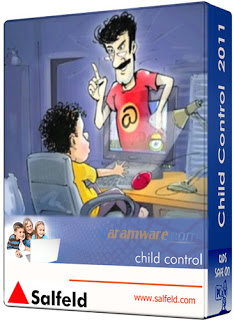
Child Control is one of the most optimal parental control and security solution. Set time limits for the PC and/or the Internet and block/filter unwanted Internet contents. Child Control limits the access to internal Windows components and personal folders.

A protocol informs you at any time as to what happened on your computer and when. Access is protected via password. Notification of PC and Internet Usage via Email notify. Several safety steps for young computer freaks that are too smart.

Here are some key features of "Child Control":

· Define the users who are allowed to access the PC
· Define time limits, either daily or for weekdays
· Define PC Off Times for each hour of each weekday
· Define Internet Off Times for each hour of each weekday
· Define Internet time limits, per day or per week
· Define “unwanted“ Internet contents with keywords
· Time limits can be defined separately for each EXE-file
· Report data is constantly logged to keep track of each user’s time.
· Disable major system settings
· Stealth mode: Make the program invisible to your users
· Whitelist EXE > Define exactly which programs your child is allowed to use!
· Whitelist Internet > Define exactly which URLs are allowed to use!
· E-Mail notification: see what is happening on your home PC from work.
· Define a holiday extension time, when every limit will be extended
· Crack-safe, all “back doors“ can easily be blocked via a mouse click.
· Easy Import and Export functions to share settings with other PCs
· Supports domains and workgroups, easy online update routine
· The user is always of aware of time used, time limit, and time remaining.
· Customize your own warning messages (e.g. non english languages)

Requirements:

· Pentium II / Celeron, or AMD Athlon/Duron running at 266 MHz or above
· A mouse
· VGA (800x600 or higher)
· 64MB RAM
· 5 MB free disk space per application are sufficient.

Limitations:

· 31 days trial
· Nag screen
What's New in This Release:


  • Changes on disabled users


Program Information
 Developer: Salfeld Computer
Price and Added Date
Trial .11-10-2015
Download Links
.
DATARECOVERY


A useful tool that can help you recover the password for WPA or WPA2 wireless networks by using brute force or advanced attack methods

Wireless Password Recovery is a handy application that allows you to recover the lost password for your WiFi network.

The program can be used to test the security of a wireless network that is based on the WPA or the WPA2 security protocol.

Wireless Password Recovery is a flexible application designed to approach the password recovery problem with many different tools.

You can use a dictionary approach or define your own recovery parameters if you know a part of the password.
Here are some key features of "Wireless Password Recovery":
  • Built-in support for password search using CPU / GPU power.
  • Over 10 types of password recovery, many of which have been developed by and implemented in our company's products only.
  • Additional tools, including powerful utilities for creating and managing dictionaries. For example, you can create your own wordlists by indexing the files on your hard disk drive.
  • Loading password hashes from non-working operating systems, various network dumps, network sniffer logs, etc.
  • Dictionary recovery supports text wordlists in ASCII, UNICODE, UTF8, PCD, RAR and ZIP.
  • Great choice of online wordlists for dictionary attacks (near 2 GB).
  • Some of the program's functions, such as word mutation, are unique. Total number of mutation rules exceeds one hundred and fifty.
  • Advanced audit reports.
Requirements:
  • 512 Mb RAM
  • 10 Mb hdd space
  • NVidia video cards with CUDA compute capability or and AMD/ATI Radeon 5xxx and higher
Limitations:
  • Displays only first 3 characters of decrypted passwords
  • Some features are disabled (You cannot generate the dictionary for combined attacks)
  • Batch attack is not available
  • Nag screen
What's New in This Release: 
  • 4 new rules for the Hybrid attack.
  • HTML link extraction tool.
  • New speed bencmarks for NVidia Tesla C2050 GPU.
  • Added character sets with new languages. Support for loadable charsets in the Mask attack options.
  • Batch attack bug. Sometimes the program failed with critical error when running a Batch attack.
  • Bug in the Welcome screen.


Program Information
 Developer: SecurityXploded Inc
Price and Added Date
DEMO .08-10-2015
Download Links
.
DATARECOVERY


A practical and effective application that helps you to clean up all your browsing history, typed URL addresses, passwords and temporary files

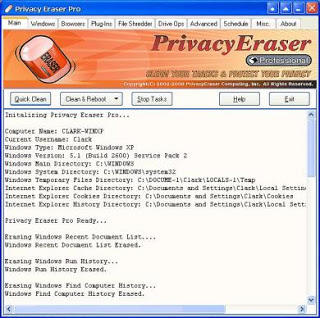
Privacy Eraser Free is an all-in-one privacy suite that protects your privacy by cleaning up all the tracks of Internet and computer activities.

With simply one click, Privacy Eraser Free can quickly erase the Internet cache, cookies, browsing history, address bar history, typed URLs, autocomplete form history, saved password and index.dat files of your browser, and Window's run history, search history, open/save history, recent documents and much more.
Here are some key features of "Privacy Eraser Free":
  • Cleans Internet cache (Temporary Internet Files ), Internet history, cookies, typed URLs etc.
  • Flexible, highly customizable and open plug-in architecture
  • File shredder
  • Drive wiper
  • Cookies manager
  • Stealth mode
  • Schedule options
Requirements:
  • Intel/AMD or other compatible processor
  • 512MB of RAM or more
  • 10MB of available hard disk space
Limitations in the trial version:
  • You cannot change the default security level when using the unregistered version
What's New in This Release: 
  • Added global Exclude options to Settings dialog.
  • Added checkbox to enable/disable Keyboard shortcuts.
  • Added Polish language support.
  • Added cleaning for ABBYY FineReader 11, Kingsoft Office 2013, Nero 14 Platinum HD, Nero Express 2014, Nero Burning Rom 2014, Nitro Pro 9 and Stardock WindowBlinds.
  • Improved cleaning for Adobe Shockwave 10 and 11, AVG AntiVirus 2012 and 2013, Java, Microsoft Office 2010 and 2013.
  • Improved cleaning for Google Chrome: journal and tmp files.
  • Improved cleaning for Recycle Bin.
  • Improved Installer engine.
  • Optimized Plug-in parser, parsing times reduced by 20%.
  • Minor GUI improvements.
  • Minor bug fixes.


Program Information
 Developer: PrivacyEraser Computing Inc.
Price and Added Date
DEMO .07-10-2015
Download Links
.
DATARECOVERY


A software that allows you to surf anonymously, change your IP address, prevent identity theft and intrusion from hackers.


Did you know your IP address is exposed every time you visit a website? Identity thieves may use your IP address to monitor your web activity and intercept your private information.

Criminals, hackers, and even the government can trace your exact location to their home, the IP address is our passport of identity on the Internet. Each time you access any web page leave on the server that stores the page a little trace of our presence.

X-Proxy is designed to avoid these problems, as it helps you hide your IP address in order to surf the Web anonymously. With X-Proxy can prevent others from seeing your true IP when browsing the Internet.

X-Proxy changes your IP with the click of a button!

Here are some key features of "X-Proxy":

· Designing a modern and accessible interface.
· Compatible with Internet Explorer, Google Chrome and Mozilla FireFox.
· Update versions and code automatically.
· Update list of servers proxy automatically.
· Available in 3 languages: Spanish, English and Portugues.
· Over 30 skins (skins) are available.
· Internet Speed Test.
· Tour of anonymity.

Requirements:

· Microsoft .NET Framework 4 Client Profile (x86 and x64)
· Windows Installer 3.1

What's New in This Release:

· X-Proxy Checker is optimized.
· Fixed some bugs.
· The database of IP's has been updated.


Program Information
 Developer: Sauces Software
Price and Added Date
Freeware .07-10-2015
Download Links
.
DATARECOVERY


An all-in-one router / modem password recovery tool designed to retrieve login credentials for Cisco, Juniper, DLink and BSNL devices
Router Password Decryptor is a simple Windows application that can recover lost or forgotten login passwords to routers, as the name suggests.

It bundles a decent pack of features that can be quickly figured out by all users, regardless of their level of experience.

The setup procedure does not take a long time to finish. However, Router Password Decryptor offers to download and install some external components that are not essential for it to work properly.

As far as the interface is concerned, the main window has a well-organized layout and shows buttons to all options.

So, all you have to do is drag and drop the router configuration file into the primary panel, as well as select the router type in order to start the recovery operation.

Results shows the password type, along with the hexadecimal value. This data can be saved to an HTML, XML or TXT file for closer inspection and safekeeping. There are no other notable options available.

Router Password Decryptor runs on a very low amount of CPU and RAM, so its impact on system performance is minimal. We have not come across any problems in our tests, since the app did not hang, crash or pop up error dialogs.


There is also a portable version available, in case you want to skip the installer and run the tool from a pen drive directly.


Program Information
 Developer: SecurityXploded Inc
Price and Added Date
AD-SUPPORTED .07-10-2015
Download Links
.
DATARECOVERY


Adware and toolbar removal application software that silently eliminates a vast array of programs that have a negative impact on your system's security and performance

eradicating adware or hijackers from a system can be a daunting job, especially if the appropriate tools are not at hand.

To help users clean their PCs of such nuisances, utilities like AdwCleaner have been created. This particular application is quite lightweight and also a breeze to use.

The program doesn't need installation and can be deployed from any storage device, most suitable for portable usage. As soon as it is started, AdwCleaner immediately finds all traces of unwanted components or remnants of former installations that should be cleaned.

The results are presented in a text document so you can view in detail which files and registry keys have been detected and proposed for deletion. Pressing the 'Delete' button will start the removal process which will end with a system restart.

An important note that should be seriously taken into consideration is that AdwCleaner needs all the running applications to be closed, so its highly advisable to save your work before using it. Also, the reboot that marks theend of the cleaning procedure cannot be delayed.

A neat feature of this software is that it can 'uninstall' itself with a single mouse click. There's a dedicated button which, when pressed, will instantly delete the application from the drive it is stored on.

AdwCleaner targets a wide variety of undesirable programs (PUP/LPI), can fend off advertisements and reverse the effects of hijacking malware which might have taken over your browser's homepage. Another example of usage, perhaps the most common for this particular software, is browser toolbar removal.

All things considered, AdwCleaner does a great job and if you ever find yourself in the situation where you need to urgently get rid of ads, toolbars and similar unwanted components, make sure you give this tool a try.

AdwCleaner is a reliable removal tool for adware, toolbar and potentially unwanted programs.

AdwCleaner is a tool that deletes :
· Adwares (software ads)
· PUP/LPI (Potentially Undesirable Program)
· Toolbars
· Hijacker (Hijack of the browser's homepage)

It works with a Search and Deletion method. It can be easily uninstalled using the "Uninstall" mode.


Program Information
 Developer: Xplode
Price and Added Date
Freeware .05-10-2015
Download Links
.
DATARECOVERY


Web debugging proxy application

Charles is a handy and reliable utility designed to enable you to analyze the HTTP / SSL traffic between your machine and the Internet.

Charles allows you to view requests, cookies, responses, headers and various other types of web content. By recording the Internet traffic that goes on your computer, it enables you to monitor the sent and received data.

Here are some key features of "Charles":

· Bandwidth Throttling to simulate slower Internet connections including latency
· SSL Proxying – view SSL requests and responses in plain text
· AJAX debugging – view XML and JSON requests and responses as a tree or as text
· AMF – view the contents of Flash Remoting / Flex Remoting messages as a tree
· Edit requests to test different inputs
· Repeat requests to test back-end changes
· Breakpoints to intercept and edit requests or responses
· Validate recorded HTML, CSS and RSS/atom responses using the W3C validator

Requirements:

· Java (also included in the installer)

Limitations:

· 30 days trial
· Nag screen

What's New in This Release:

Major new features and improvements:
· Charles now bundles Java
· Keep-alive status for each request is now reported, so you can see whether a request was part of a kept-alive channel
· Protocol Buffer support, see the documentation.

Bug fixes:
· ACL warning no longer blocks all traffic
· Comparing transactions sometimes resulted in incorrectly repeated content
· Reverse proxy now correctly sets the Host header in the case of default ports
· Other minor bug fixes and improvements


Program Information
 Developer: Karl von Randow
Price and Added Date
Trial .05-10-2015
Download Links
.
Powered by Blogger.

Enter your email address:

Delivered by FeedBurner

Popular Posts